
🎮 How to Start Playing Minecraft Without a License (For Beginners)
If you've just downloaded Minecraft, launched it "as is," and saw this screen:
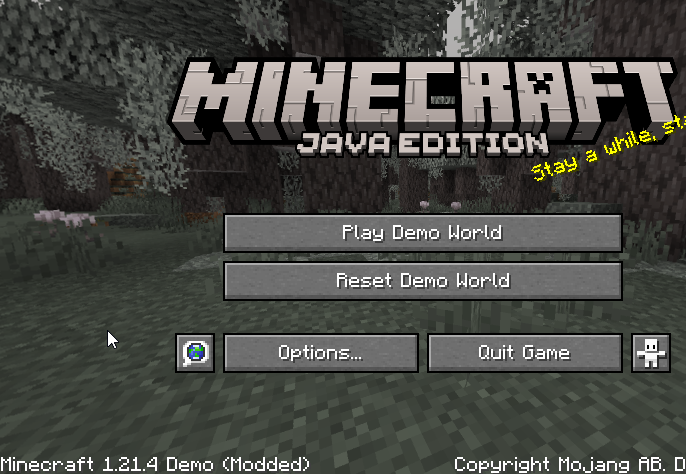
…you're probably wondering:
❓ Why did this happen?
The answer is simple: you haven’t signed in to an account yet. Without registration, Minecraft launches in demo mode, which is very limited in functionality.
🔑 What to Do Next?
Click on "Manage Account":
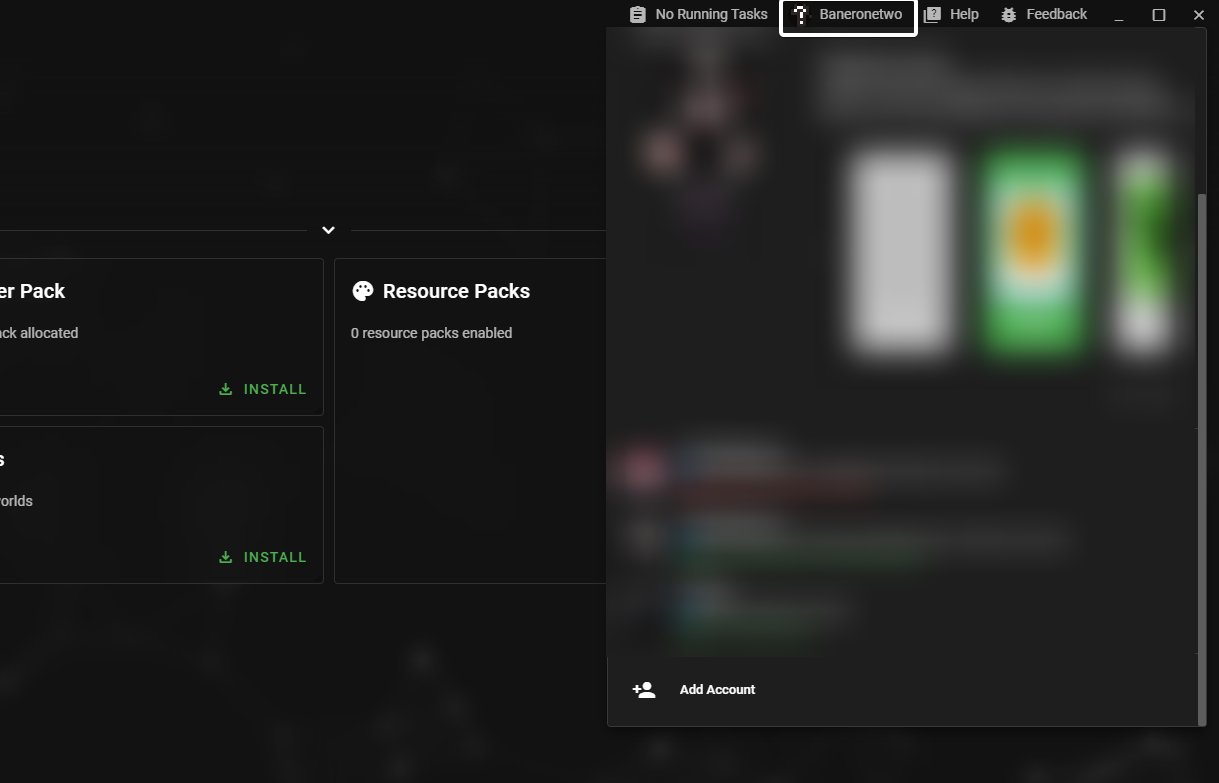
If you’re not registered, you’ll see a screen prompting you to sign in or create a Microsoft account:
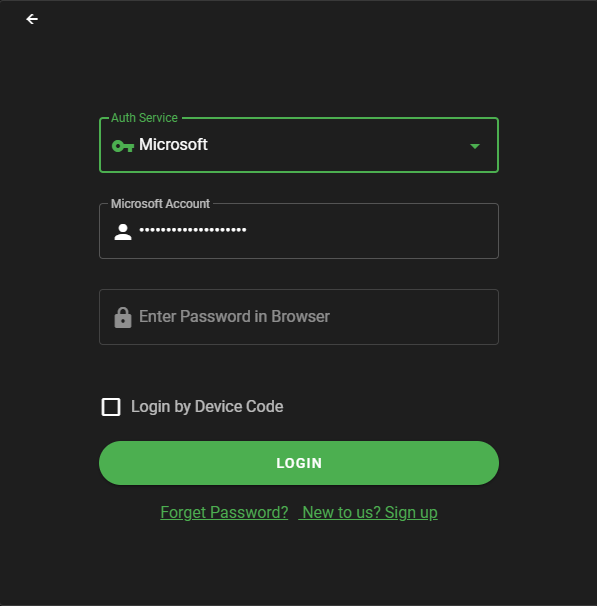
You can:
- Create a free Microsoft account through your browser.
- Use Device Code — a convenient login method that doesn’t require typing your credentials on the device itself: just visit the link, enter the code, and confirm the sign-in.
💡 What is Device Code?
It’s an authentication method where, instead of entering your login details directly on the device, you go to a website (e.g.,microsoft.com/link), enter the code shown on your screen, and confirm the login through an already-authenticated browser session.
🆓 What If I Don’t Own a Minecraft License?
No worries! The official Minecraft launcher includes a Developer Mode that unlocks alternative login methods — no purchase required.
How to Enable Developer Mode:
Go to Launcher Settings.
Find the "Developer Mode" option and turn it on:
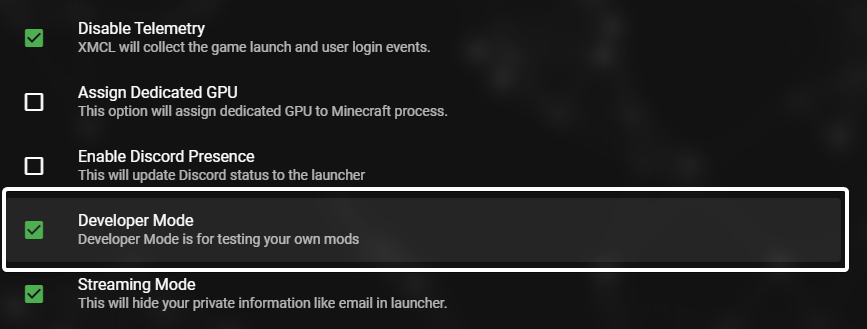
After enabling it, you’ll see additional login options:
- Offline
- Littleskin
- Ely.by
🧩 What Are These Systems?
🟢 Offline Mode
- The simplest option: you enter a username and play locally, without connecting to Mojang’s servers.
- Perfect for single-player worlds or local servers.
- Your username isn’t verified for uniqueness — you can pick any name you like.
🟡 Littleskin
- A free, community-driven account and skin service originally from China.
- Lets you use custom skins even without an official Minecraft license.
- Works with most launchers and many multiplayer servers (if they support third-party accounts).
- Website: https://littleskin.cn
🔵 Ely.by
- A popular Russian-language platform for unofficial Minecraft accounts.
- Supports custom skins, capes, session authentication, and works on many community servers.
- Widely used in the CIS region.
- Website: https://ely.by
✅ Recommendation:
For beginners, Offline (for solo play) or Littleskin (for custom skins and more flexibility) are the best choices.
🚀 You’re All Set! What’s Next?
Pick your preferred login method, choose your desired username — and dive into your Minecraft adventure!
🎉 Play, explore, build — and have fun with Minecraft!
If you want to buy a license, it's best to buy it at minecraft.net so that you get proper support from Mojang and also so that you don't get ripped off.