
Agnes AI Setup
This guide helps you configure the built-in AI Agent in XMCL.
Agnes AI is free
Agnes AI is completely free to use. You only need to create a free API key — there is no payment, subscription, or credit card required.
After completing this page, you should be able to:
- open the AI Agent dialog;
- diagnose crash logs with the built-in agent;
- run agent tools (mod toggle, install, config search/edit, etc.).
What You Need
- XMCL latest version.
- Internet access.
- A free Agnes AI API key.
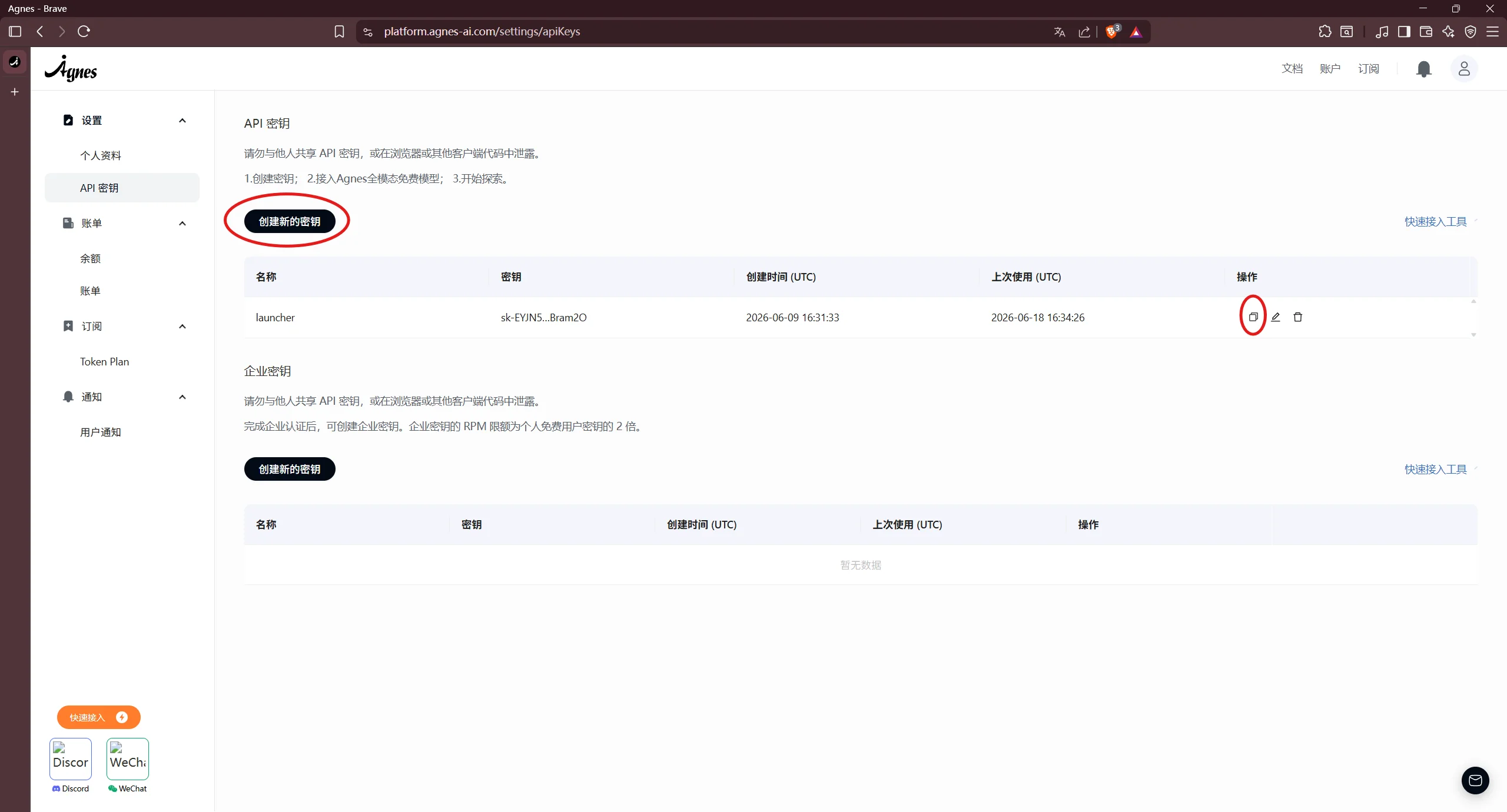
Step 1: Get Your Agnes AI API Key
- Open the Agnes AI developer portal.
- Create or sign in to your account.
- Create an API key.
- Copy and store the key safely.
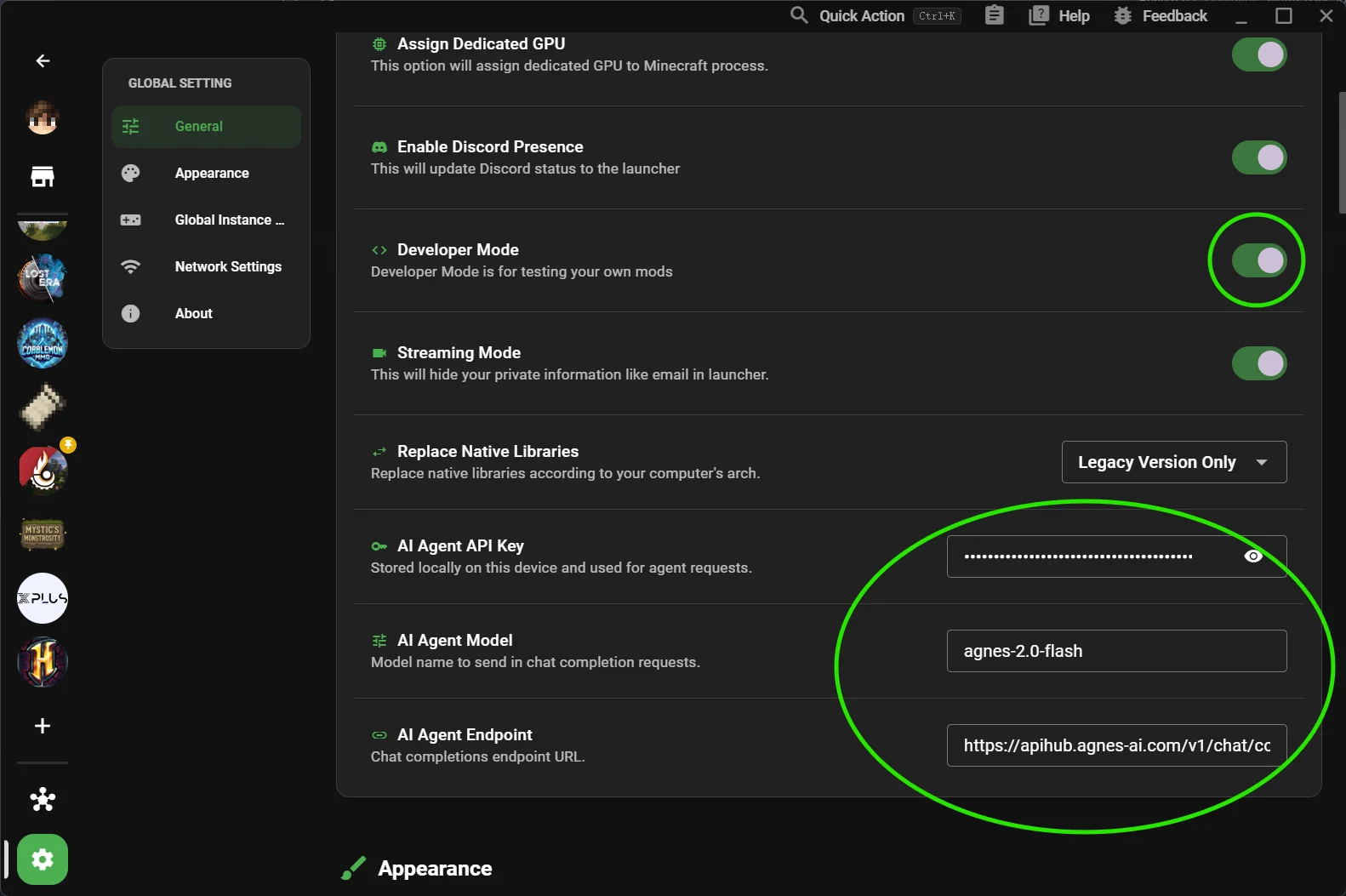
Step 2: Open XMCL Agent Settings
- Open XMCL.
- Go to Settings -> General.
- Enable Developer Mode.
- Scroll to the AI Agent section.
Step 3: Fill Agent Fields
In AI Agent settings:
- API Key: paste your Agnes key.
- Model: keep default unless instructed otherwise.
- Endpoint: keep default unless instructed otherwise.
Default Agnes endpoint:
text
https://apihub.agnes-ai.com/v1/chat/completions
Step 4: Verify It Works
- Press
Ctrl/Cmd + Shift + Ato open the Agent dialog. - Send a simple message like:
list my installed mods. - Confirm the assistant replies without configuration error.
Troubleshooting
Agent does not open
- Confirm Developer Mode is enabled.
- Restart XMCL once after enabling Developer Mode.
"Not configured" warning still appears
- Re-check API key (no extra spaces/new lines).
- Ensure endpoint is reachable from your network.
Request failed / 401 / 403
- API key is invalid, expired, or has no permission.
- Regenerate key in Agnes portal and paste again.
Request timeout
- Check firewall/proxy.
- Try again with default endpoint.
Security Notes
- Treat API keys like passwords.
- Do not share screenshots containing your key.
- Rotate keys if you suspect leakage.