
Skip to content
XMCL / LINUX EDITION

Linux에 자연스럽게 녹아드는 Minecraft 런처.

Linux 데스크톱과 Steam Deck을 위한 세련된 오픈 소스 런처입니다. 배포판에 맞는 패키지를 선택하고 모든 월드를 한 번에 실행하세요.
네이티브 Linux 빌드, ARM64, Flathub 지원
01 / 02
XMCL · Linux 작업 공간
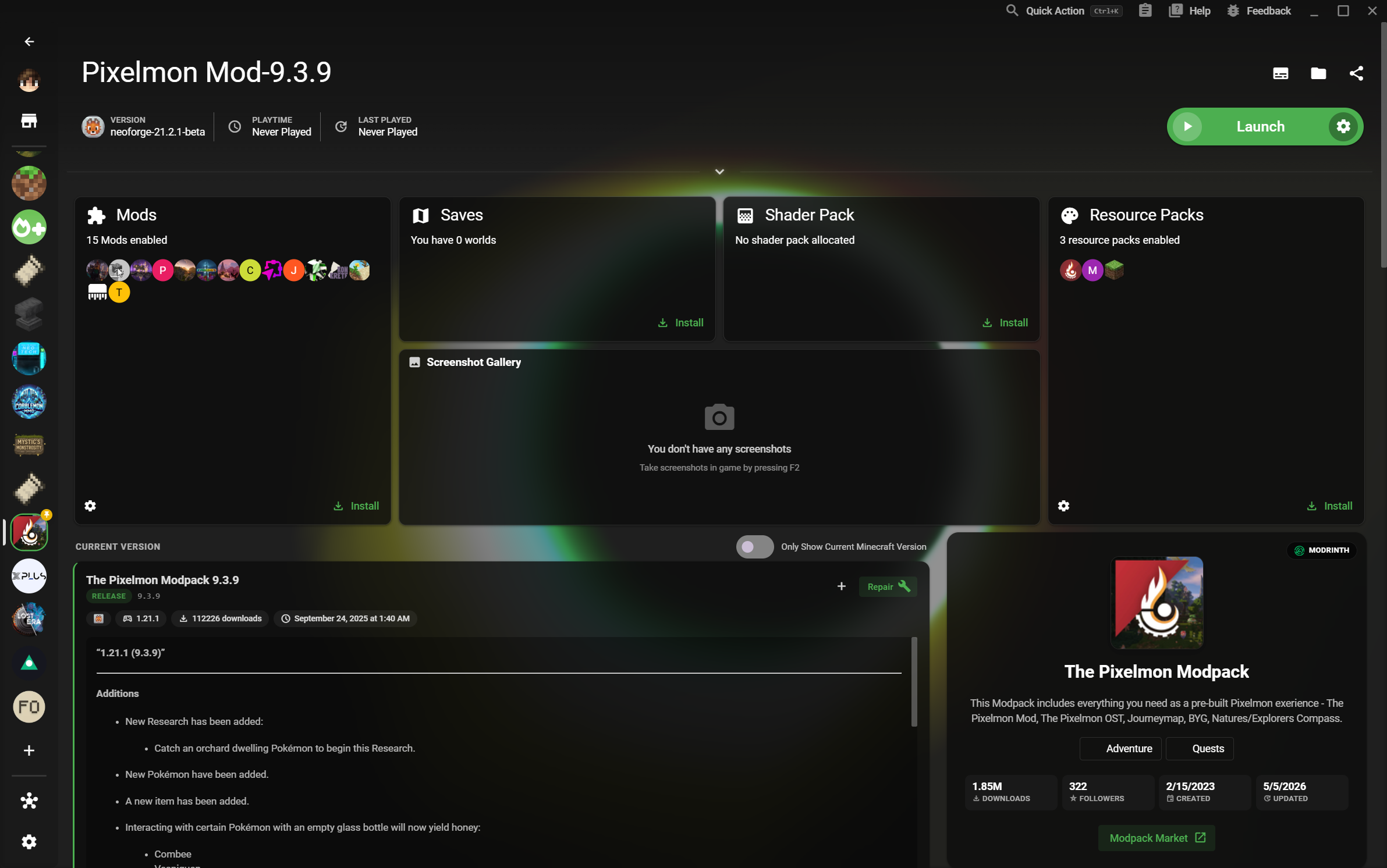
Minecraft 인스턴스 라이브러리를 보여 주는 XMCL 홈 화면
4K 지원 작업 공간
다음 월드 플레이 준비 완료
05
Linux 패키지

DEB, RPM, AppImage, tar.xz, Flathub 지원.

4K
어떤 크기에서도 선명하게

큰 화면에서도 읽기 쉬운 라이브러리.

분리된 월드

버전, 로더, 저장 데이터를 서로 분리.

LINUX FIRST WORKFLOW

패키지 설치부터 플레이까지 마찰 없이.

XMCL은 Linux 플레이어에게 필요한 예측 가능한 설치, 선명한 인터페이스, 독립적인 게임 환경을 한곳에 제공합니다.
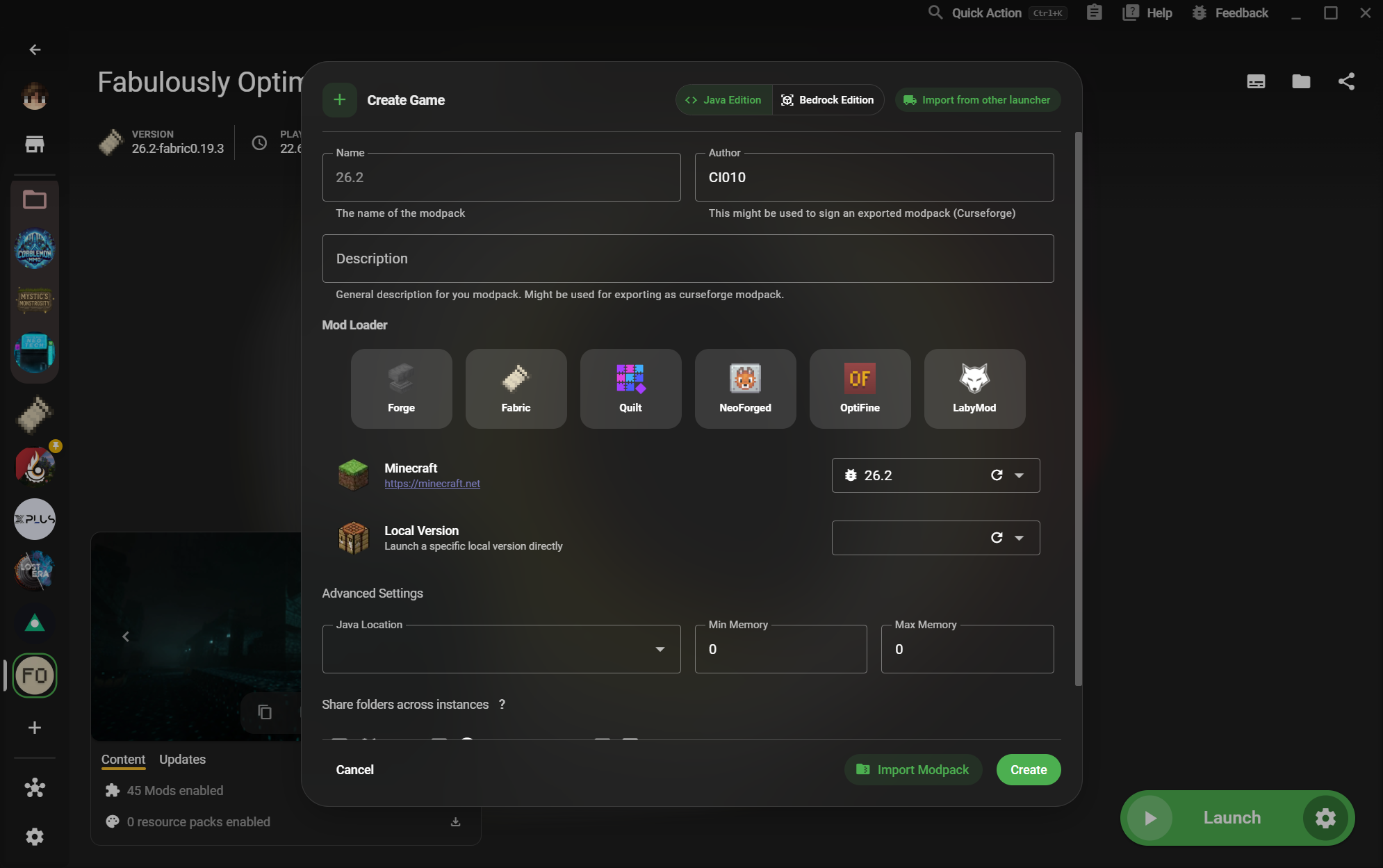
01XMCL create instance dialog with Minecraft versions and mod loaders

Use the format your distribution understands.

Download a native package for your desktop or use Flathub when you want a portable, Steam Deck-friendly route. XMCL also offers ARM64 builds where the hardware calls for them.
  • DEB and RPM for mainstream Linux desktops
  • AppImage and tar.xz for portable installs
  • Flathub support for Steam Deck
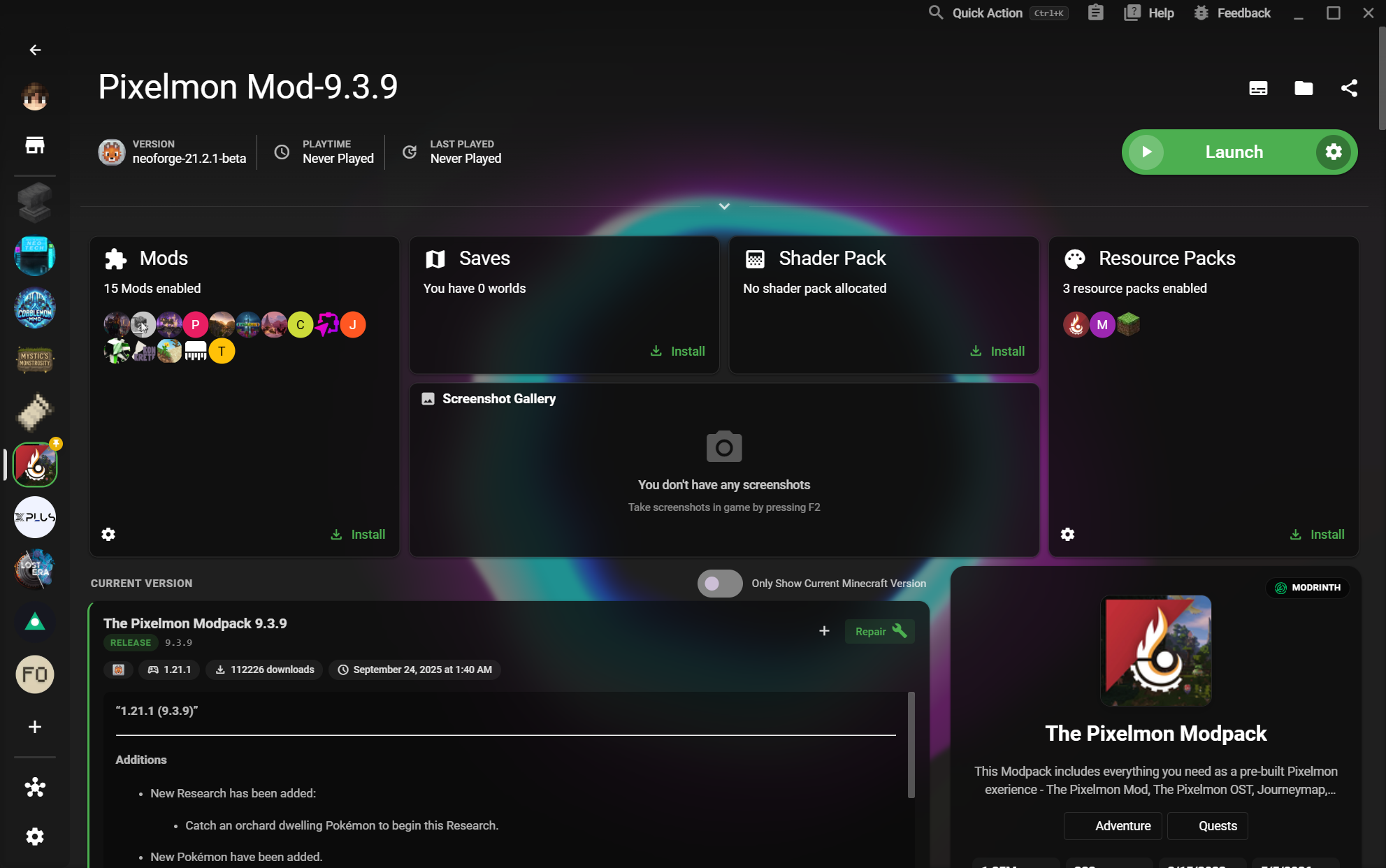
02XMCL instance library with organized Minecraft game profiles

Every instance gets its own clean runway.

Separate vanilla, modded, testing, and server setups without juggling folders by hand. Your versions, loaders, mods, saves, and settings stay together.

  • Independent game data and launch settings
  • Forge, Fabric, Quilt, NeoForge, and more
  • Fast switching between worlds and experiments
03X Minecraft Launcher home page with a large instance library

A desktop launcher that travels well.

Move from a Linux desktop to a Steam Deck session without giving up a clear library or a dependable setup. XMCL gives your collection room to grow without turning it into a spreadsheet.

  • Flathub path designed for Steam Deck
  • A focused interface on 4K displays
  • Open source and built for Linux players
LINUX용 다운로드

원하는 방식으로 XMCL 설치.

시스템에 맞는 패키지 또는 Steam Deck용 Flathub를 선택하세요.

모든 릴리스와 빌드 보기